
Web Design, Google Sites

Nespelem School District Web Site
How does one plan a website?
The Need
Last summer, our school pondered the possibility of applying for Google Apps in Education. A main component of this change considered an update of our school website. How did we do? What would you include?

This question began the journey, “What does our site need?”
One expectation demanded that the site would include a professional design, community information, and needed elements required by the Office of the Superintendent of Public Instruction and other entities.
The Website Users
With those in mind, I spent days immersed in thoughts and scribbles, research and models, documents and images. Before I could really begin though, I considered the broad range of our website users: Administration, Community, Families, Staff, Students, Program Affiliates.
Each of these website users have different purposes for reading/using our website. What do each need? I considered the needs of each:

From those, I continued research to develop the texts and the flow of data. Three sites eventually emerged: a public school site, a staff site, and a student site. We needed two domains, one for the district and staff (nsdeagles.org), and one for the students (my.nsdeagles.org).
The Sites
The public district site provides all the schedules (events, closures, etc.), public information (homeless, Title I, Net Safety), documents (handbooks, permission forms, disclaimers, COPPA, etc.), and helpful links that satisfied the needs of administration, staff, programs, families, and the community. Links to class web pages and staff information also provide information for community and families. The staff site provides staff with a substitute calendar, help videos for Google Apps, and a practice area before publication. The student site links to our private areas for student activities with Google Apps (documents, spreadsheets, presentations, portfolios).
With that planned, the work began: choosing the template in school colors and a simple design, designing the navigation among the three sites and within each site, and creating the pages, documents, and images.
Our school colors are red and white, so I chose the Solitude: Cherry template. For the header, I gathered three images. I created a masked picture in Pages with the administrator’s photograph. In Illustrator I added red color to our logo, a line drawing by Tony Esquivel, former community member, and in Photoshop, I combined the three images to create our logo. The student logo was created with Illustrator and Photoshop.

Public Site
What is my teacher’s phone number and email? When is the next school board meeting? What are the testing schedules? What assignments do my students have? Is school open in this snow storm? What do I do if I’m homeless? What is the school’s plan? How will my students use the Internet? What permission slips are needed? These are questions that can be answered from our district site. This site answers the questions for the community and families, and provides Title I and other program information.
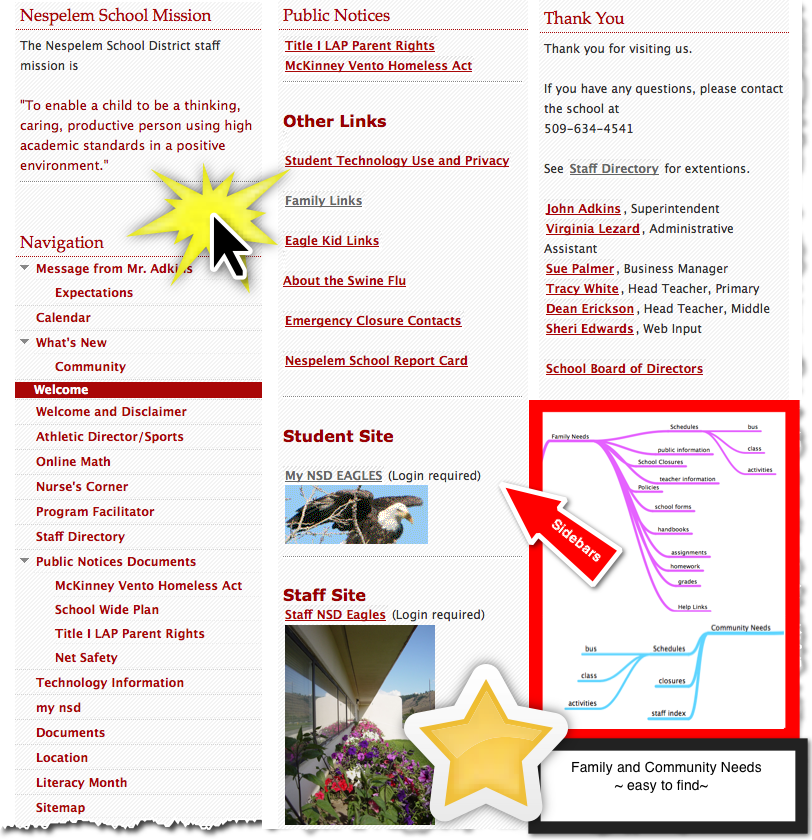 The image of columns shows the sidebar information from which the public can easily find the information needed by them and required by program stipulations:
Our administrator asked for a calendar for staff to check for substitutes, if needed. That information is not public, and many teachers want to practice their new Google App skills before publishing. Therefore, we also provide a safe and walled site for staff. Student information and staff collaboration happen in these areas. In addition, help videos have been created so staff can learn on their own or receive a refresher on technology topics such as creating a google document, creating a google site, how to login and out.
 Our staff also have access to Google Apps, and they can be accessed by logging in at either the public or staff site, since they are both located at nsdeagles.org. Google Apps can be shared with individuals, with students from their teachers, with groups, or to the public. Next fall we will begin professional development in Google Apps. This year, a small set of staff learned how to create sites and documents to share; these were not techies, but people in special programs with information that families may want, such as the athletic director.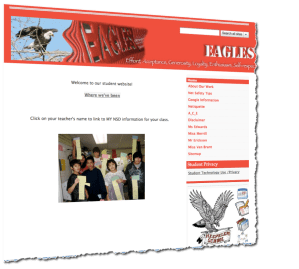
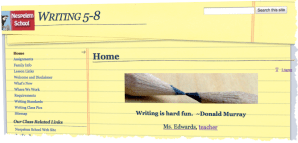

Note:
Mindmap created in MindNode on iPad
Graphics created with Snagit
Categories

Sheri Edwards View All
Geeky Gramma ~~
Retired Middle School Language Arts/Media Teacher ~~
Writer and Thinker~~
Art from the Heart
 1DR What Else?
One thought on “Web Design, Google Sites” Leave a comment ›